
Connect your Agent
You can connect any MCP Capable Agent with MCP Express. This guide helps you connect the most common Agents to MCP Servers hosted using MCP Express.
Claude
Section titled “Claude”Claude Desktop / Web
Section titled “Claude Desktop / Web”Claude Web version only supports MCP Servers hosted under a public Domain. A local deployment will not work with Claude Web.
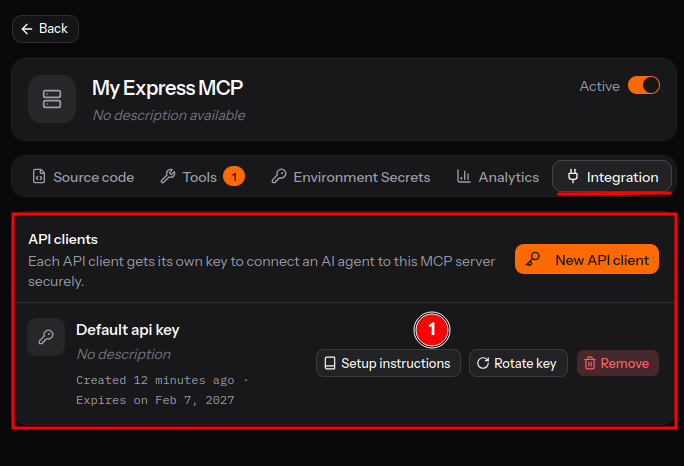
- Extract your Connection URL and Connection Details (eg. Security Details). Create API Keys as needed. Refer “Setup instructions” to find and connect your Agent.
- Open
Claude > Customizationeither on the Desktop of the Web Version.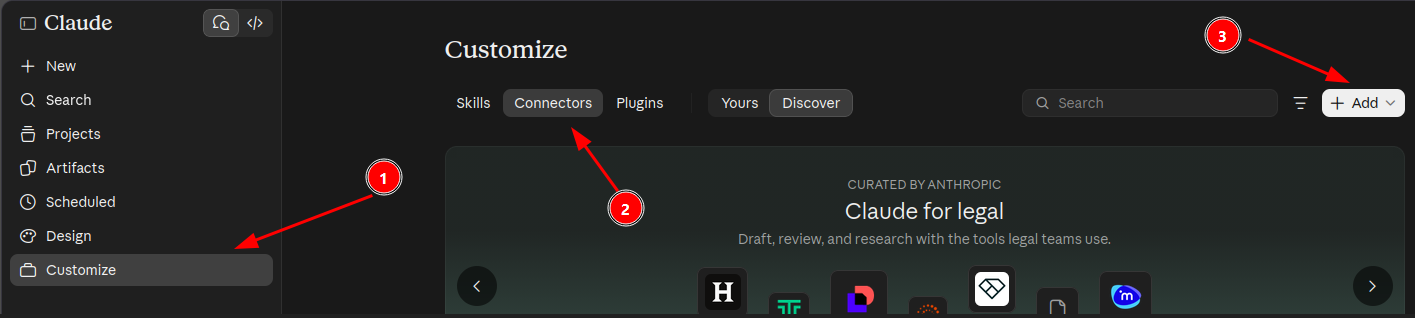
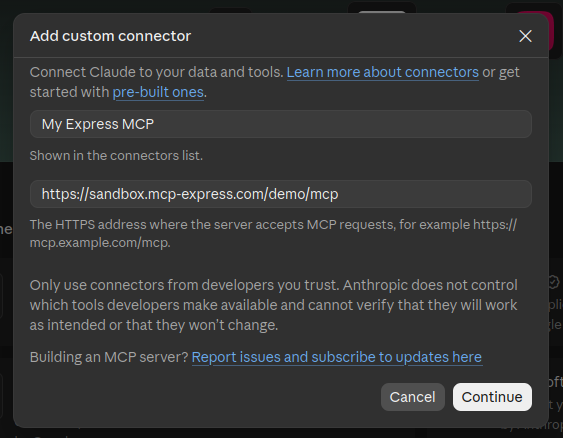
- Provide the Connection URL and the Connector Name.
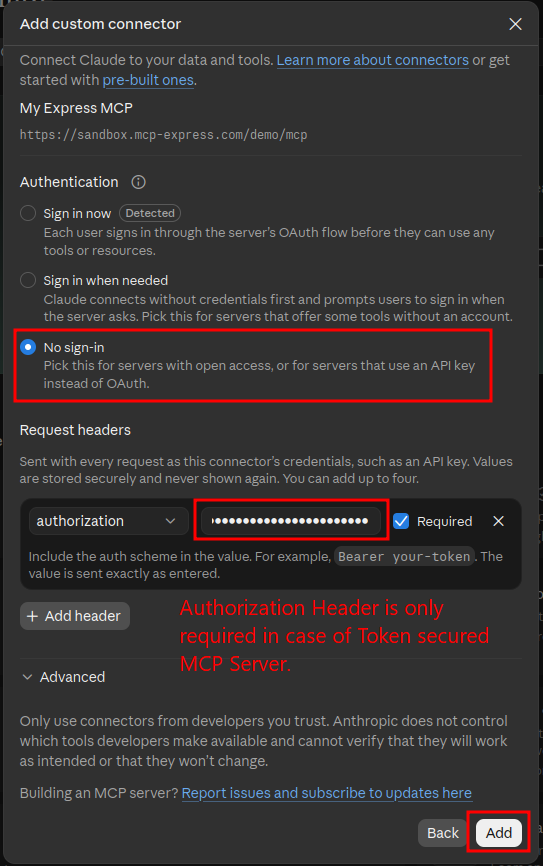
- Provide the security details and connect.
Claude Code
Section titled “Claude Code”- The command to add your MCP Server to Claude code can be found under
Server Detail Page > Integration Tab. - Use
Setup instructionsButton to show your Claude Code Specific Command.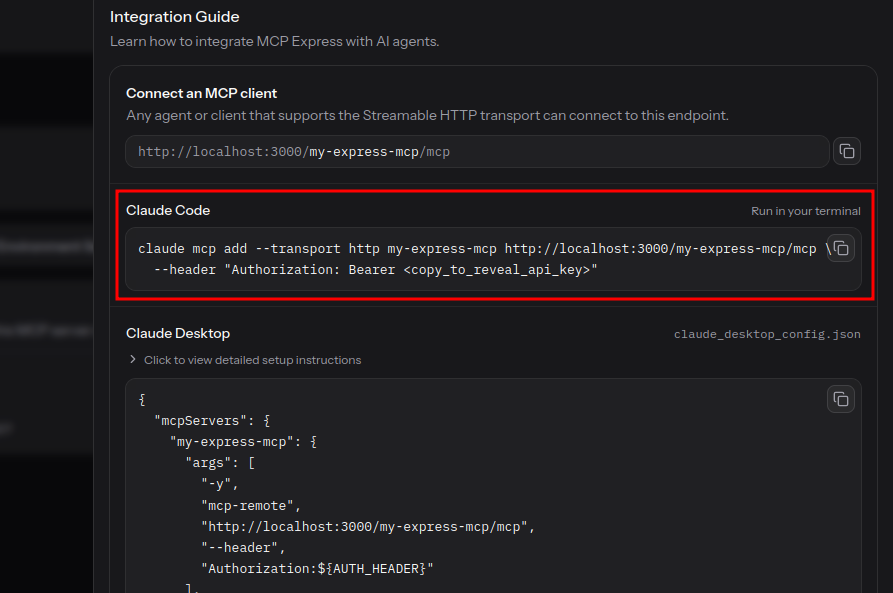
- Copy the command and run it in your Terminal to add it to Claude Code.