
MCP Server Provisioning
MCP Express offers a runtime that needs to be installed one time, and provides and SDK that enables you to write MCP Server. The separation here is made to enable multiple MCP Deployments possible within the same server scope and enable easy Administration and Governance.
Provisioning an MCP Server
Section titled “Provisioning an MCP Server”Before any deployments are made, the servers need to be provisioned. You can provision a server using the following steps:
- Launch your MCP Express Instance and navigate to the MCP Servers Page in your Installation. For local installations the page can be found under this link.
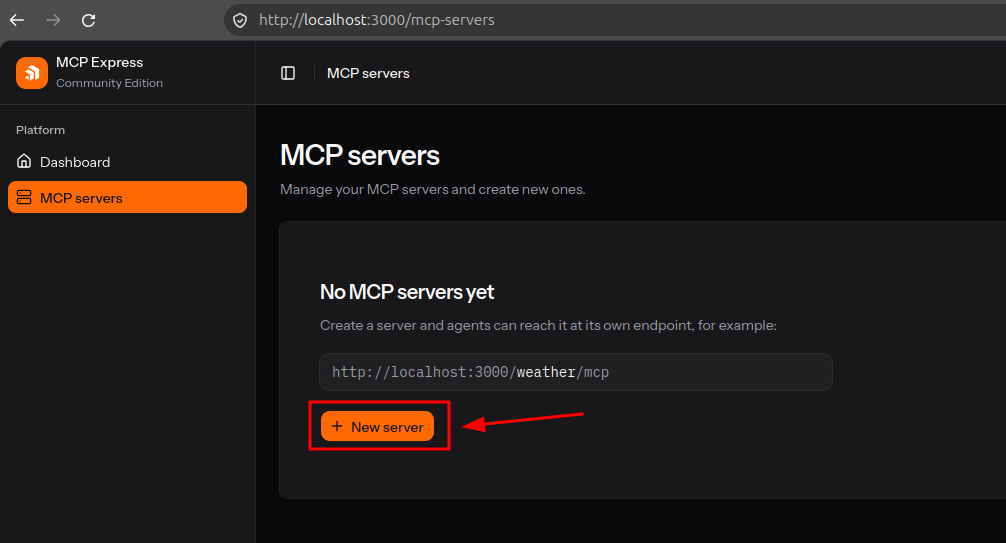
- Add a new server by pressing the “+ New Server” button. And fill out the necessary information.
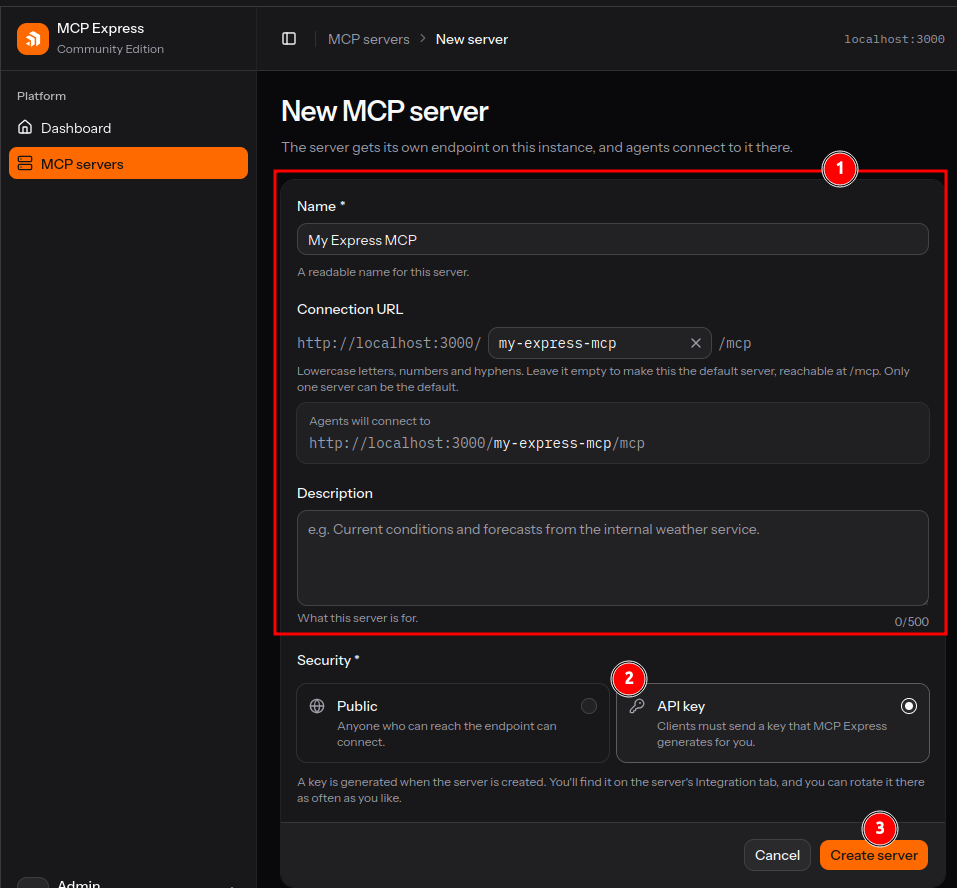
- Create the new Server by pressing the “Create Server” button.
Customize the Deployment Path
Section titled “Customize the Deployment Path”MCP Express allows you to customize the deployment path by simpy editing the connection URL. A few notes on what is allowed and what is not:
- Multiple Server can be deployed on separate deployment Paths. Each Connection URL should be unique.
- A server can also be deployed in the root path as
https://example.com/mcp. To achieve this clear the connection URL field.