Get your Evenings back
MCP Express securely connects your business systems to your AI agents, so you can offload routine operational work — and you and your team can focus on what actually grows the business.
No credit card required.
Work Smarter, Role by Role
Skip the manual integration work and get back to what matters most. See the transformation from siloed tools to a unified workflow for your specific role.
(Powered by MCP)
Drag right, or use arrow keys, to see the future
One connection layer. Endless possibilities.
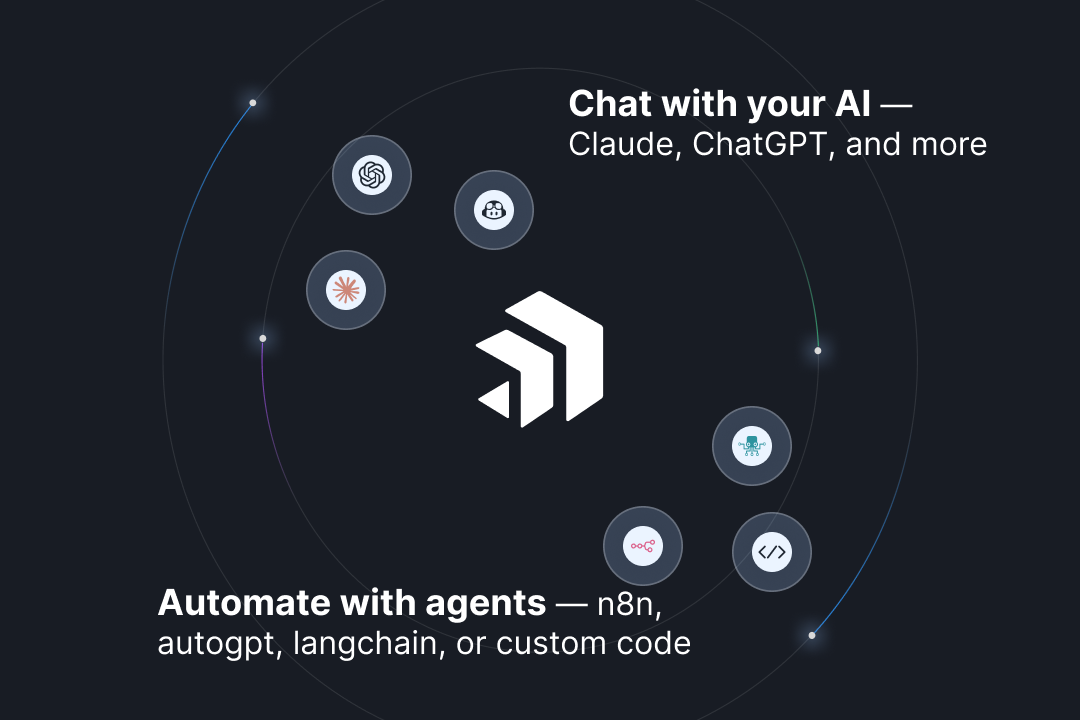
Connect your tools once. Use them across every AI workflow — automated pipelines, conversational agents, or client-facing portals.
Same tools. Every AI workflow.
Connect your tools once through MCP Express and use them everywhere — no duplicate setups.
- Works with Claude, ChatGPT, Cursor, and more
- Compatible with n8n and automated agent pipelines
- One integration, used across every workflow
A subscription that pays for itself and more.
Consolidate your AI tools and free up about €250 a week your team was spending on manual work.
- Replace multiple point solutions with one connection layer
- Save ~€250/week in manual work your AI can now handle
- Use the AI you already pay for — no new tool required
Connect once. Control everything.
Connect any tool in minutes, and control exactly who on your team can use it.
- OAuth for every integration — no manual credential handling
- Role-based access control per server and per user
- AWS KMS encryption for all stored credentials
Hand off what happens every week.
Recurring work — reports, status checks, incident summaries — shouldn't need a person every time.
- Recurring reports drafted automatically
- Status checks without manual log-diving
- Shift your team’s focus back to high-impact work
Set it up Once. Delegate Forever.
Three simple steps to transform your workflow with AI.
Sign Up
Create your account and launch your MCP server — think of it as a dedicated, secure toolbox for your AI, ready to be filled.
Connect Your Stack
Link the services you use daily — Notion, Jira, or a database. Go as simple or as complex as your work demands.
Enable Your AI
Connect your preferred AI and just ask. Let it handle the rest — securely, within the boundaries you set.
Seamlessly Connect Your Ecosystem.
MCP Express integrates with the tools your team already relies on, bringing your data and workflows directly into your AI agents.








Not found what you're searching for?
Request a ToolFrequently Asked Questions
Everything you need to know before getting started with MCP Express.
What is MCP Express?
MCP Express is a platform that lets AI assistants like Claude and GitHub Copilot securely connect to your real infrastructure — databases, cloud services, monitoring tools, and more. You define what they can see and do, they handle the legwork.
How is this different from pasting logs into ChatGPT?
Instead of manually copying and pasting logs, MCP Express gives AI agents direct, secure access to your infrastructure. They pull fresh data, cross-reference multiple services, and take controlled actions — all without you lifting a finger.
Can I control what the AI is allowed to do?
Absolutely. Action-level permissions let you specify exactly what each AI can do — read-only, write, deploy, or nothing at all. You define the rules, the AI follows them.
Can I run multiple MCP servers?
Yes — this is core to how MCP Express works. Create a separate isolated server per client or environment. Each server has its own tools, credentials, and permissions. No overlap, no risk.
What problem does MCP Express solve in one sentence?
It gives your AI assistant direct, secure, permission-controlled access to your real infrastructure — so you can stop manually feeding it data and start actually automating DevOps work.
Ready to get your Evenings back?
Start for free and connect your first system in under 5 minutes.
No credit card required · Setup in under 5 minutes